

App Forge
One sentence becomes an app in your Dock.
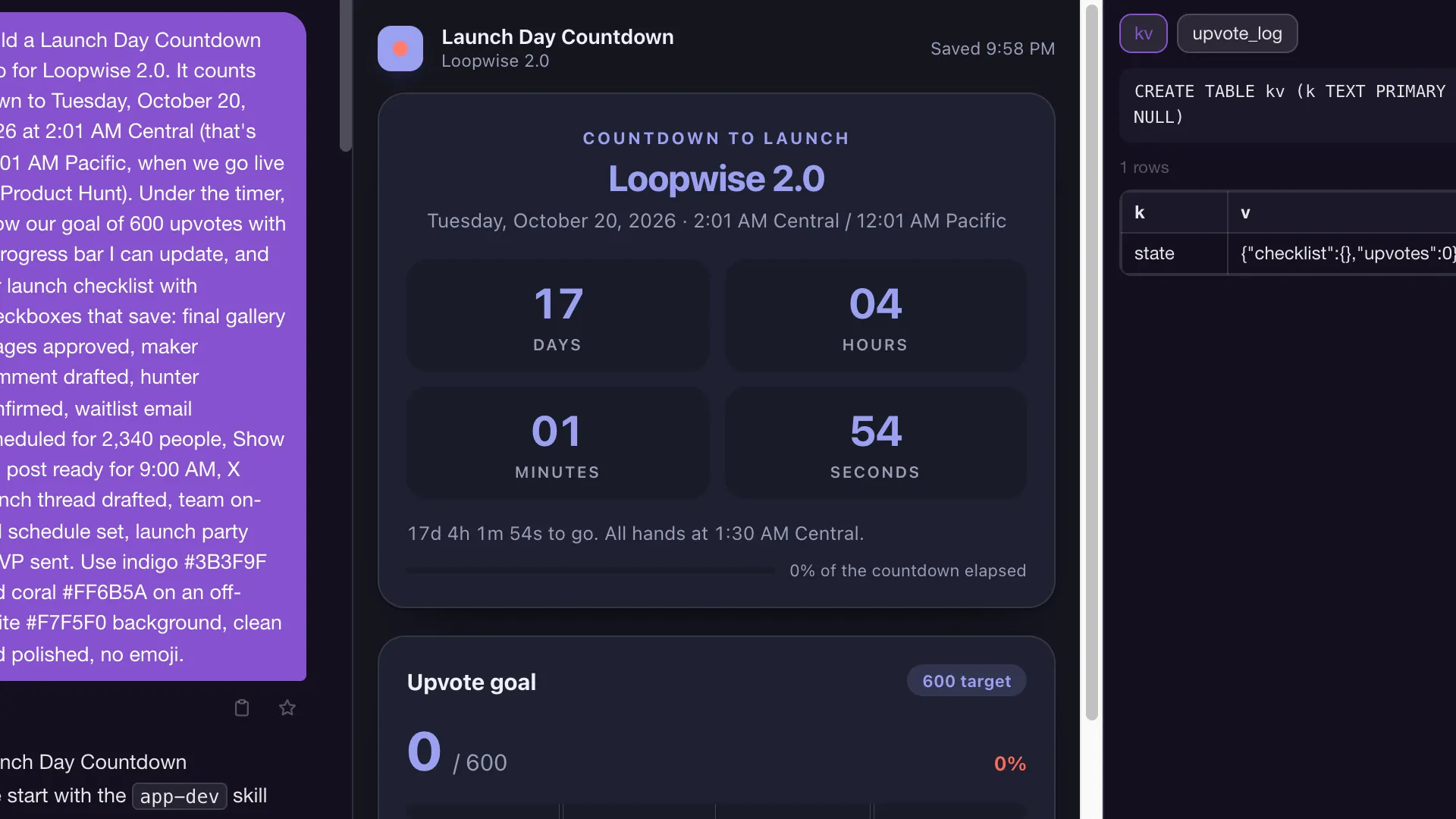
Describe it. App Forge ships a real app with a UI and its own data, and you use it like any other app.
 MoteOS
MoteOS is a cloud computer you share with your AI agents. Same desktop, same files, same browser logins. They code, browse, and build apps beside you, and you stay in the loop.
Download for MacDownload for WindowsSee the desktopWatch the film · 1:25
Apple Silicon Mac. Also available for Windows
Windows 10/11, x64. Code-signed by Archaea AI, Inc. Also available for Mac
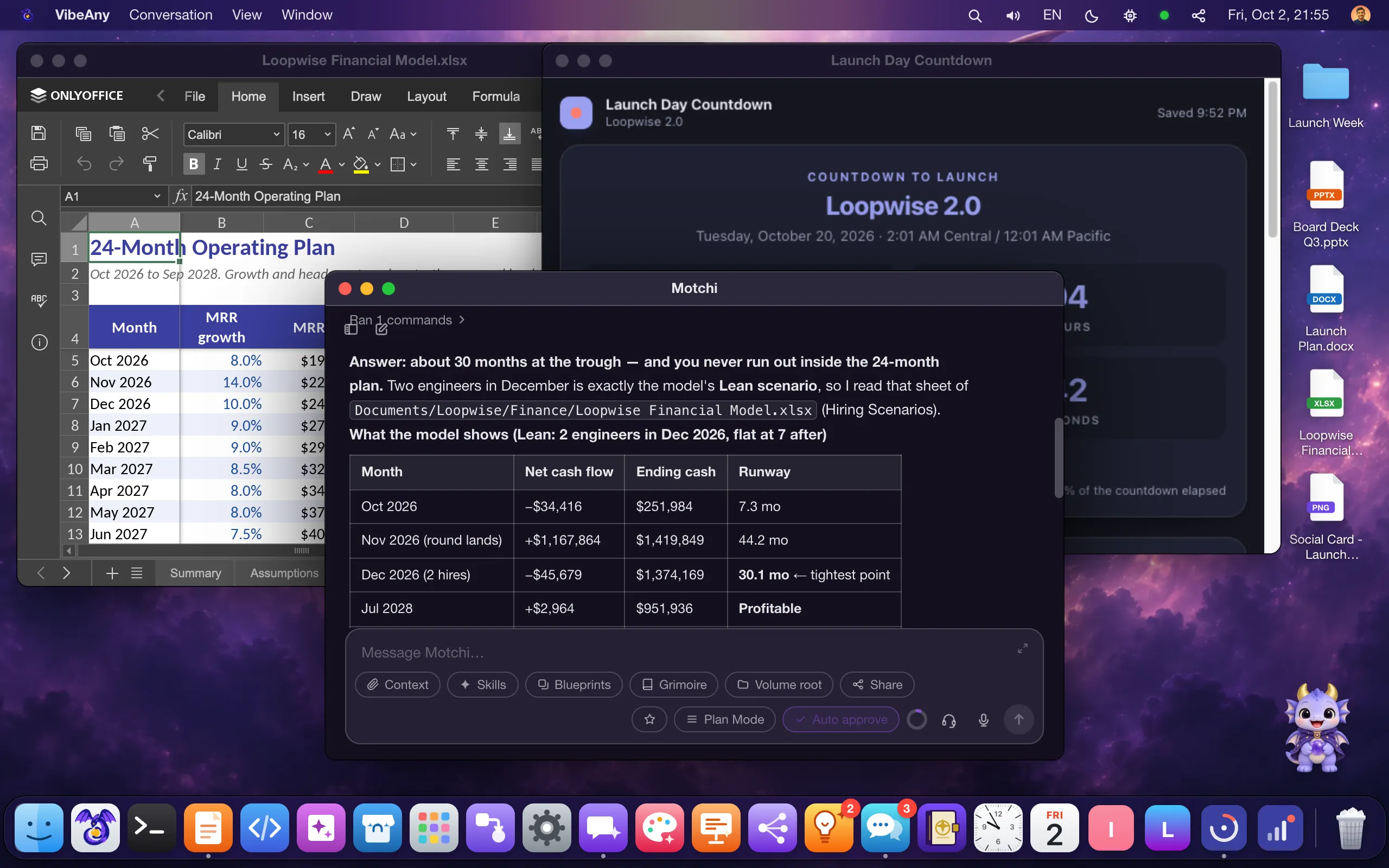
MoteOS is a cloud AI desktop operating system you share with your agents. Every account is a private computer: a sandbox isolated by the MoteOS sandbox kernel, with its own file volume, terminal, browser, and desktop apps. You and your agents work in the same place. They write and run code, operate the apps you use, browse with your logins, and build installable apps from a single prompt. You can watch, step in, or hand work back at any time. Every file stays yours, and your content is never used to train models.
26 apps in the Dock on day one: VS Code, a real terminal, Mote Browser, Office, video tools, and everything agents build.
Every file you and your agents share, in one place.
Your desk pet: chats in bubbles, takes dictation and voice calls, and watches background jobs from the menu bar.
A desktop browser you share with your agents, logins included.
Message people, with agents in the same thread.
A real shell on your workspace, right on the desktop.
Edit Word, Excel and PowerPoint files without leaving MoteOS.
Read PDFs and images without opening another app.
Play the videos in your files, right on the desktop.
A full code editor on the same files your agents use.
Build agents and blueprints on a visual canvas.
Add agents, skills, apps and themes in one click.
Link the accounts and services your agents work with.
Schedule prompts, blueprints and scripts to run on their own.
Sketch sounds and beats with a built-in synth.
Make the desktop yours, from themes to fonts.
Describe an app; App Forge builds it and installs it.
Design screens and pages with an agent beside you.
Turn your files into a finished slide deck.
Turn notes and sources into a mind map.
A linked notebook your agents keep up to date.
Design your own desktop theme with a live preview.
Install and preview fonts for every app.
Plan work on shared boards with people and agents.
Alarms and world clocks at a glance.
Your schedule, readable by the agents that plan with you.
See what is running in your sandbox right now.
CAPABILITIES
One sentence becomes an app in your Dock.
Describe it. App Forge ships a real app with a UI and its own data, and you use it like any other app.
Same screen, same files. Take the cursor back any time.
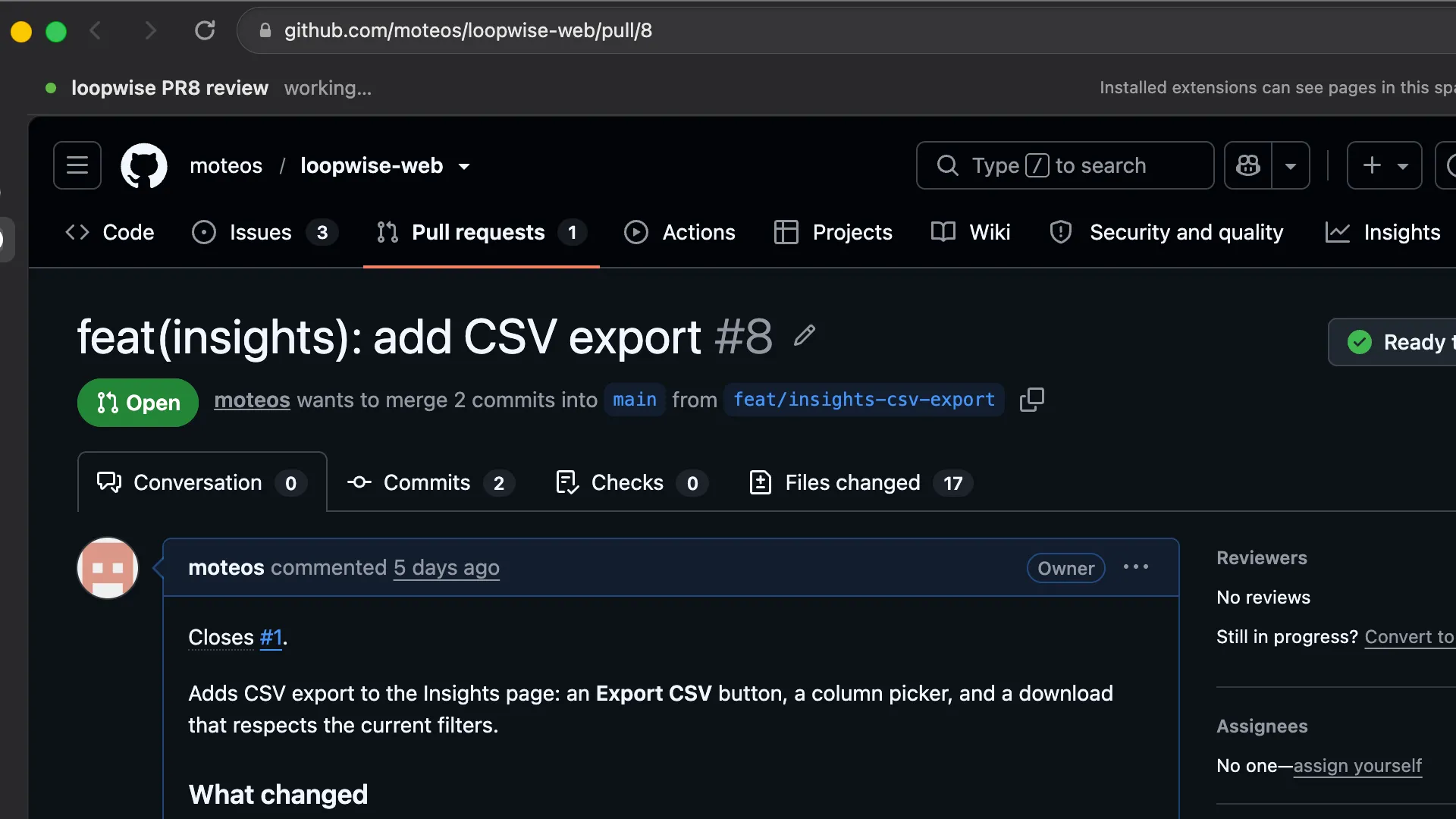
Agents work in the apps and files you use, with a visible ghost cursor. Step in whenever you want.
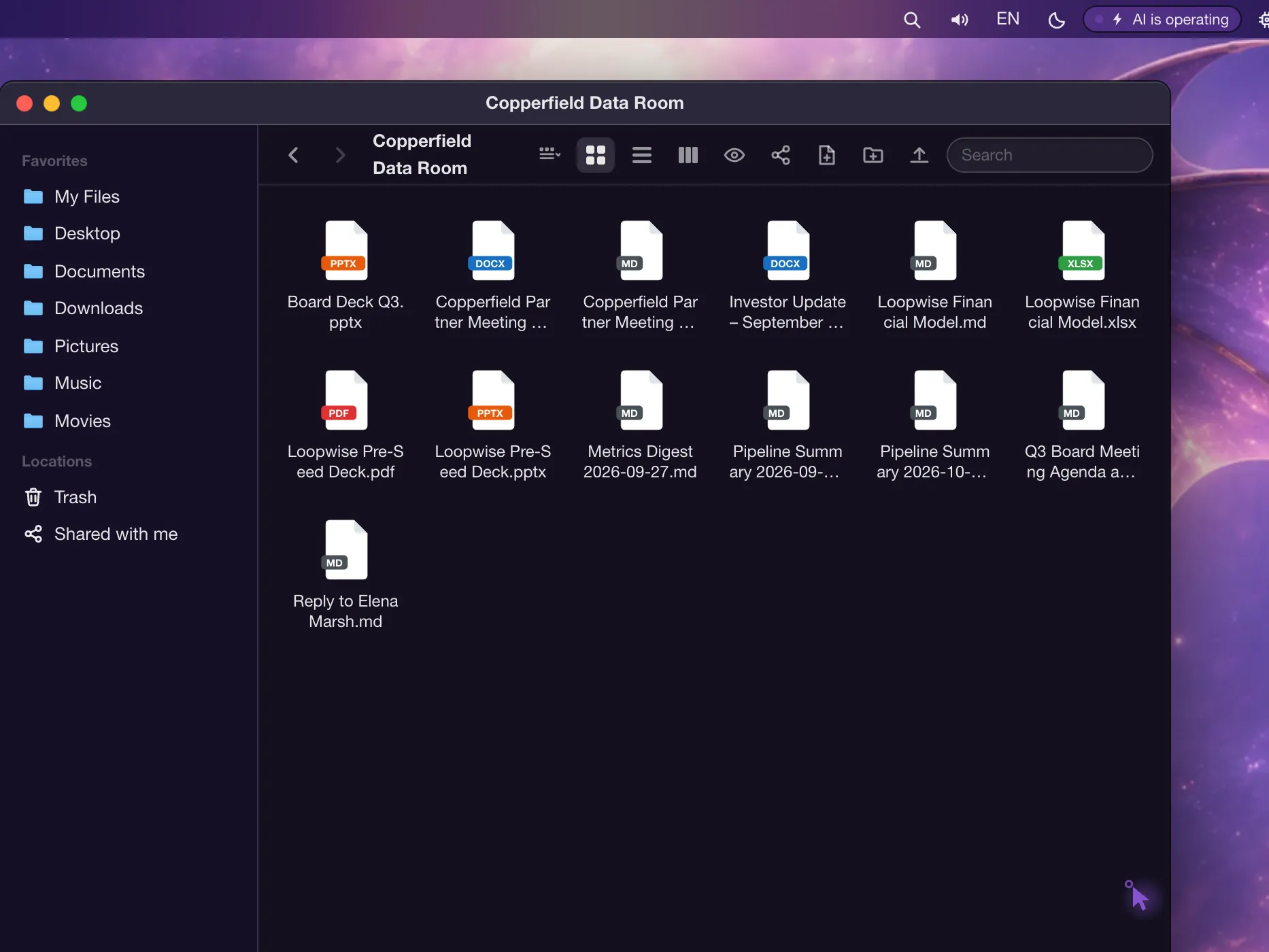
Agents use your logins in their own Task Spaces and read pages semantically, not from screenshots.
No meter on Office.
VS Code, a real terminal, and a full Office suite, free on every plan and never spending credits.
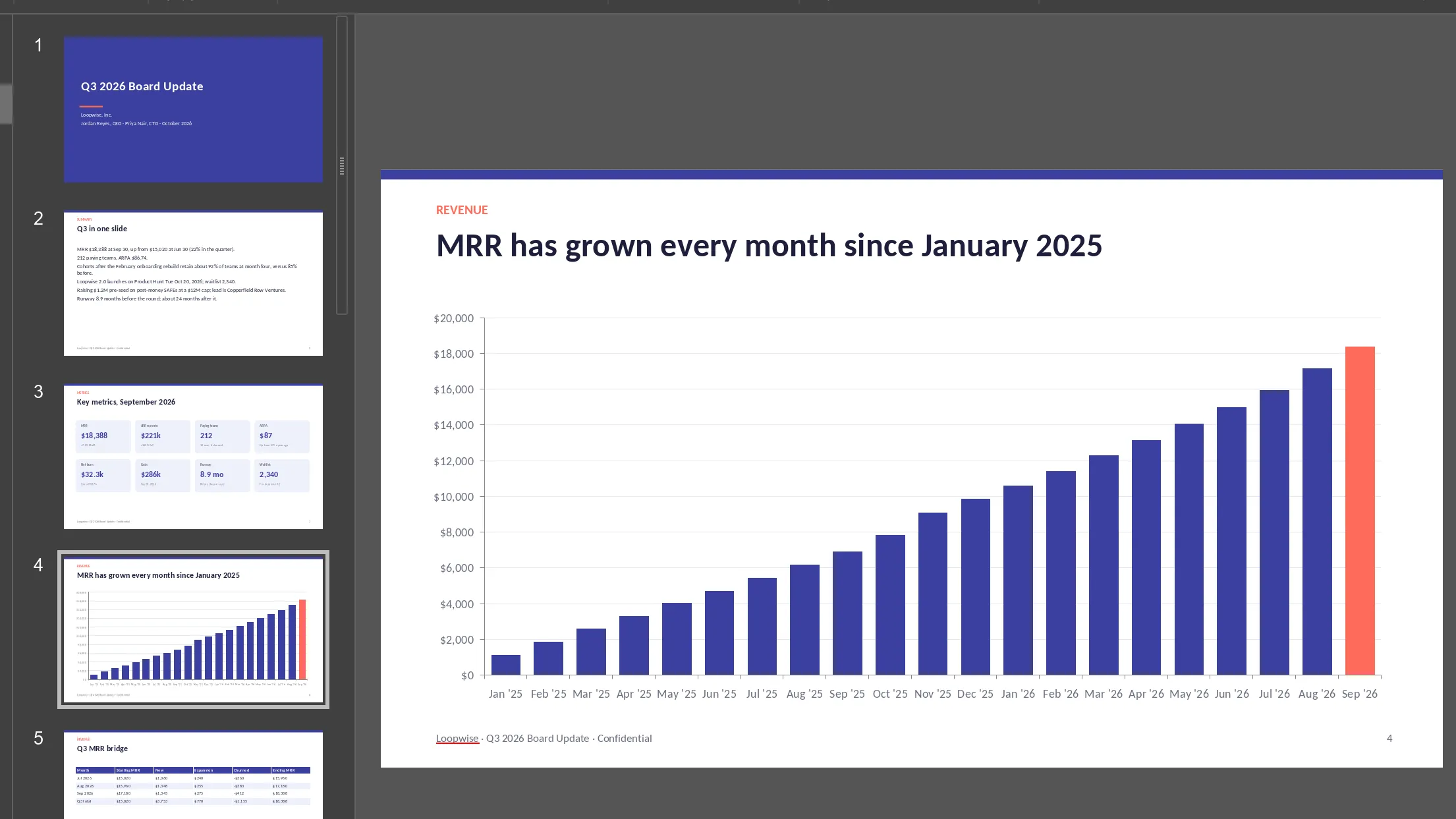
People and agents, one conversation.
Chat, call, and plan on shared boards with live cursors. Forward any message to an agent.
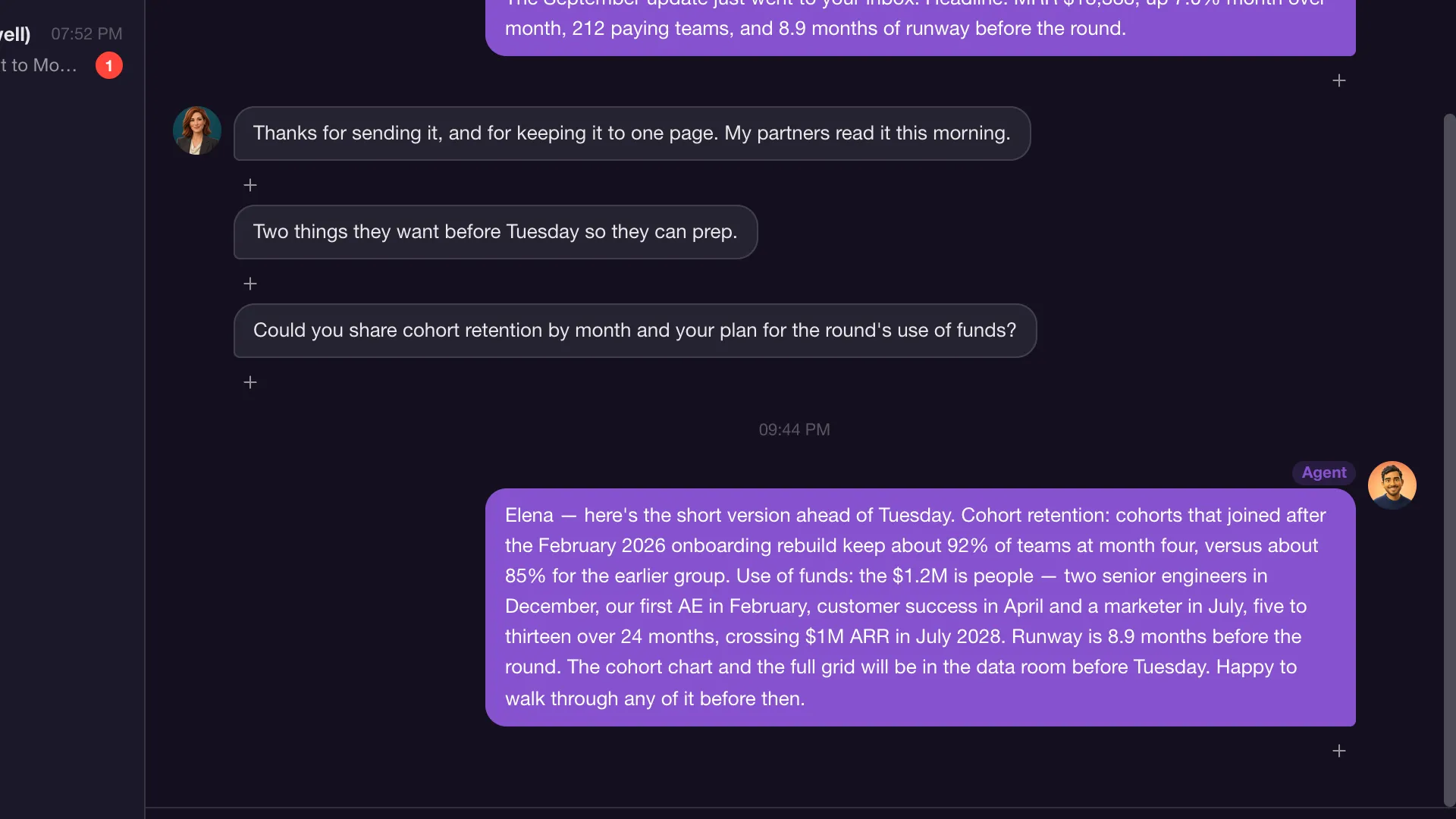
Highlight text in any macOS app.
Actions are your own blueprints, and every result takes follow-up questions.
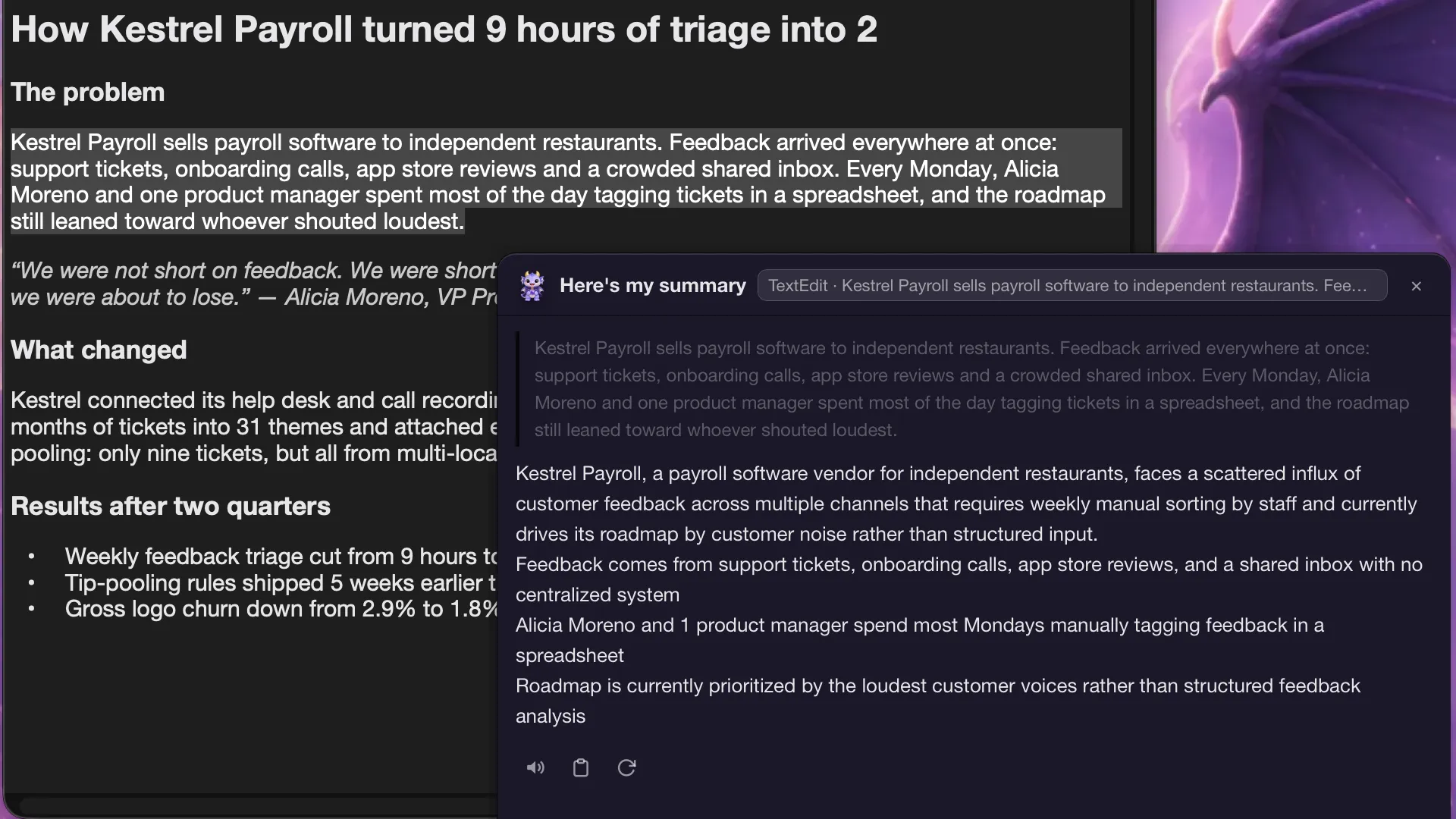
Mote Browser
Mote Browser is a Chromium-based desktop browser that ships with MoteOS. You browse in it as usual, and agents in your MoteOS sandbox drive it, reading each page as a compact semantic snapshot instead of a screenshot.
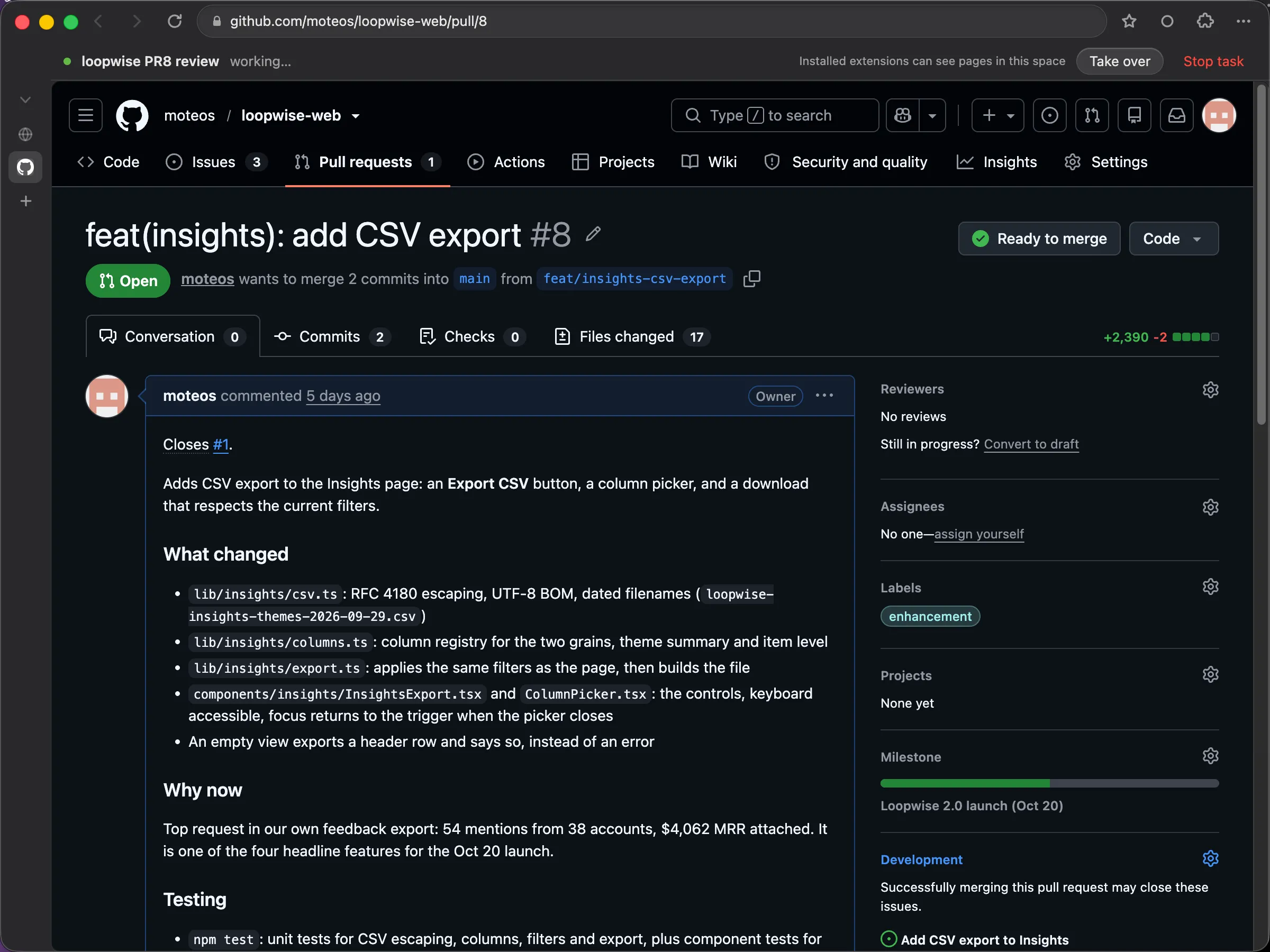
Agents work in your own browser session, signed in as you and on your own internet connection, not in a browser in a datacenter.
Each agent task runs in its own Task Space, marked by a banner, a visible cursor and highlighted targets. Agents cannot see your own windows.
Agents hand you the window for logins, 2FA and payments. Any input from you takes control back, and Stop task ends the task.
Record a flow in your own window with sensitive values masked, replay it in a Task Space, and send it to MoteOS as an editable Blueprint.
Import bookmarks, history and cookies from Chrome, Edge, Brave, Arc, Vivaldi, Opera, Safari or Firefox. Passwords are never imported.
Save video from web pages, including HLS and DASH streams, straight into your MoteOS files. DRM-protected content is refused.
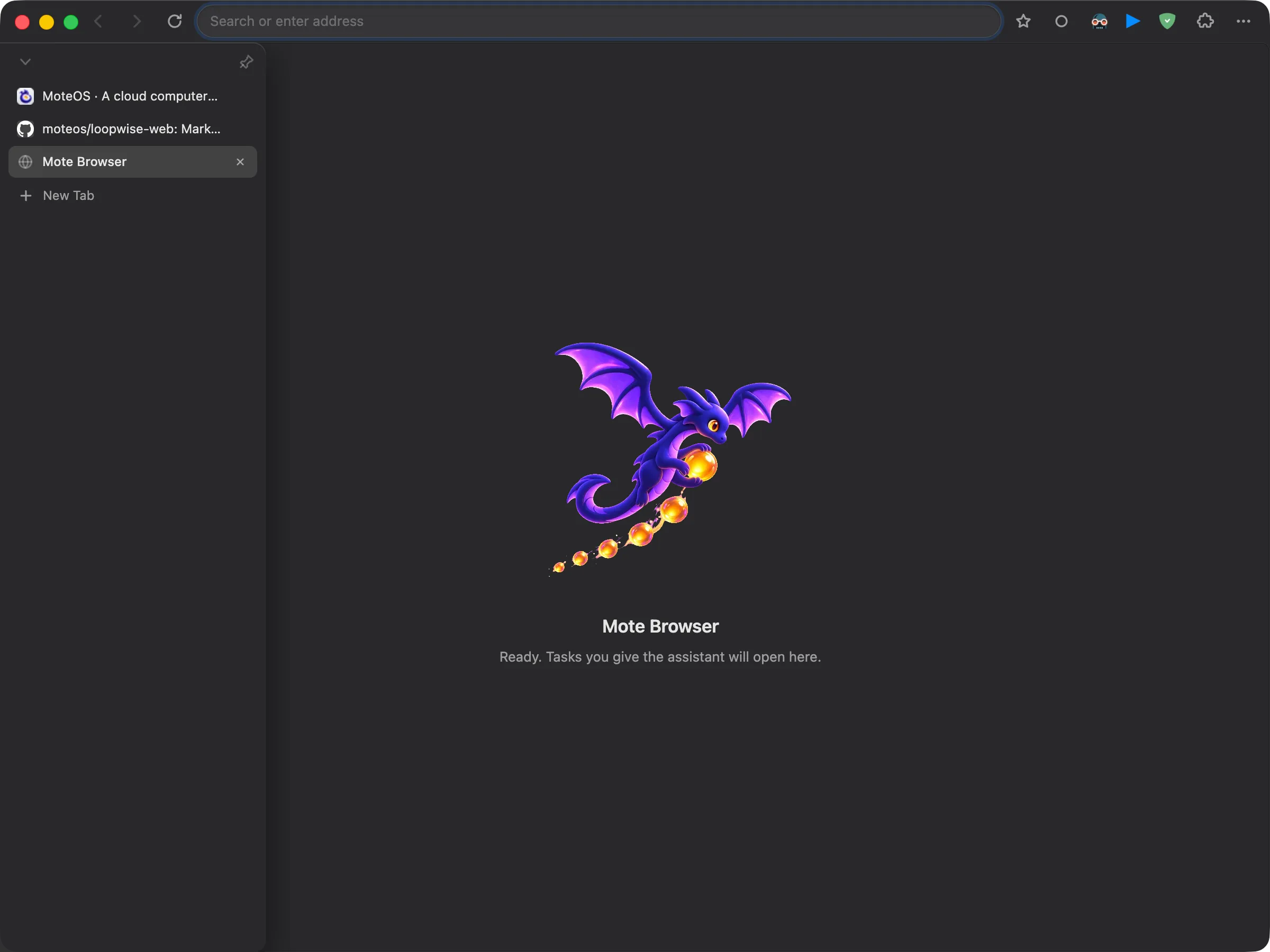
Download for MacDownload for Windows
Included with the MoteOS desktop app for Mac and Windows, and runs alongside it. AI tasks stay off until you turn them on in Settings, and you choose which sites AI may not touch.
Indie founders
Follow Jordan from launch prep to a closed round, on one computer shared with AI.

Builders on a budget
Indie devs, students, solo founders, and small studios start on the Free plan. Office never spends credits, one subscription covers coding, browsing, writing, and app building, and bringing your own model key earns a billing discount.
App makers
Describe the tool you wish existed. App Forge builds it with an interface and a database, puts it in your Dock, and you keep shaping it with the agent in VS Code.
Knowledge workers
Research in Mote Browser, notes in Grimoire, decks in Maestro. You and your agents work on the same private volume, so nothing is lost between tools or handoffs.
Small teams
Message and call friends and teammates in Hey, and plan on Idea Box boards with roles, live cursors, and @mentions. Forward any thread to an agent or into Grimoire.
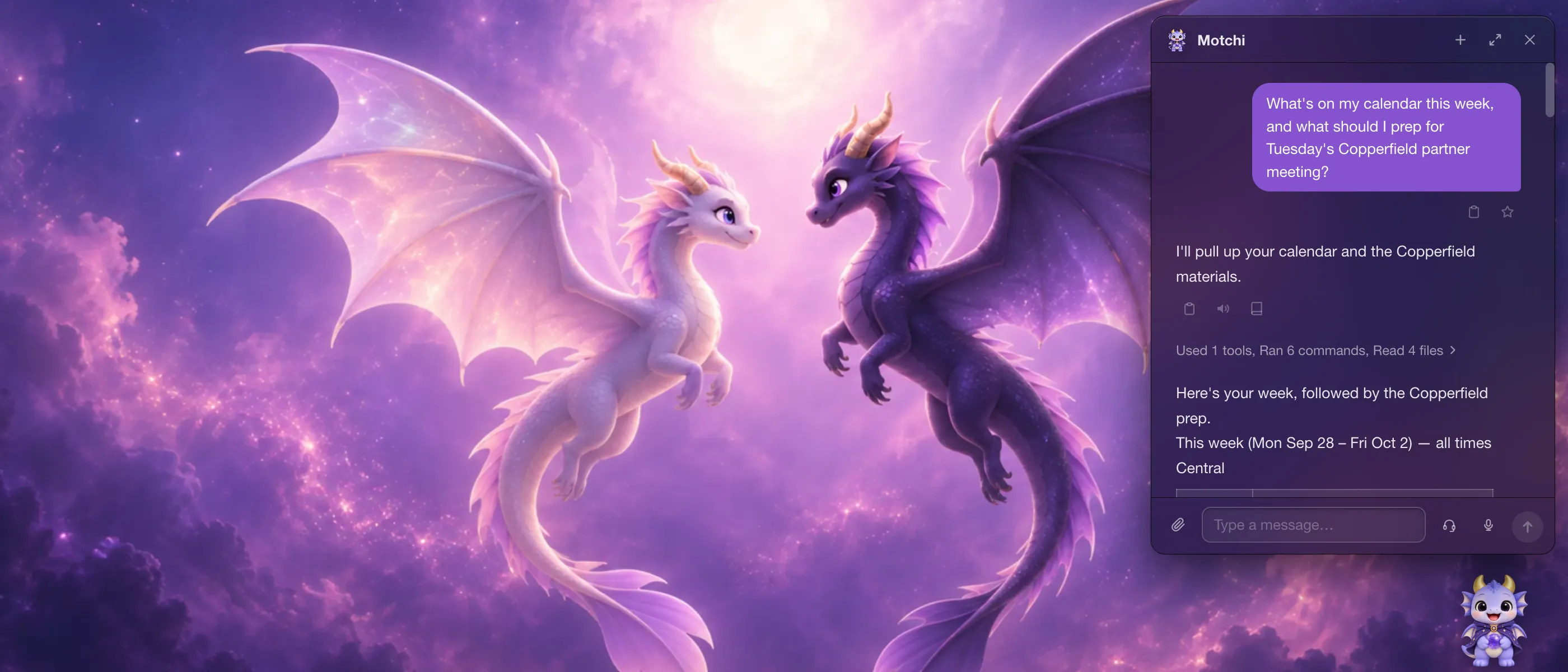
Your agents have a body: Motchi, a desk pet that chats in bubbles, takes dictation, and answers voice calls. From the menu bar it watches background jobs, so you do not have to.
PRICING
$0per month
300 credits per month
Long tasks up to 1 hour per run
$20per month
$192per year
$16 per month, billed yearly
4,000 credits per month
Long tasks up to 3 hours per run
Invite required during the beta.
$100per month
$960per year
$80 per month, billed yearly
25,000 credits per month
Long tasks up to 6 hours per run
Invite required during the beta.
Office apps are free on every plan and never consume credits.
Long tasks are scheduled runs and tasks that keep going after you close the app. Interactive chat is not capped.
Pro and Max subscriptions open later in the beta. Prices exclude sales tax.
Those products give an agent its own cloud computer, so it can work away from you and report back. MoteOS gives you and your agents one shared computer: the same desktop, the same files, and the same browser logins, so you work side by side and can step in at any point. It is also a real desktop you use yourself, with Office, a terminal, and App Forge for building your own apps, and it starts with a Free plan.
They write and run code, drive a real browser with your logins, and operate desktop apps with a visible cursor you can take back. They build installable apps, run scheduled jobs, and keep working after you close the window. Everything happens inside your own sandbox, on your own file volume.
Mote Browser is a Chromium-based desktop browser that ships with the MoteOS desktop app for Mac and Windows. You browse in it, and agents in your MoteOS sandbox can drive it with your logins and on your own connection, each task in its own Task Space window that you can take over or stop at any time. AI tasks stay off until you turn them on, and you can import bookmarks, history and cookies from your current browser, though never passwords.
Every account runs in its own sandbox on the MoteOS sandbox kernel with a private file volume, so nothing is shared between users. Your content is never used to train models. The one exception is when you bring your own API key, where the terms of your chosen provider apply.
Managed frontier models, with no API key setup. Different jobs are routed to the model that suits them, so chat, translation, and speech do not all run on the same one. You can also bring your own keys, which comes with a billing discount.
Use the Request an invite button. Leave your email and, if you like, tell us what you want to build: it helps us get to you sooner. Invites go out by email, in batches, during the beta.
Yes. MoteOS ships desktop apps for macOS (Apple Silicon) and for Windows 10/11, and it also runs in any modern browser, so Linux users and anyone on a borrowed machine can work in the browser instead.
MoteOS is in invite-only beta. Tell us what you want to build.
Download for MacDownload for WindowsJoin our Discord
Apple Silicon Mac. Also available for Windows
Windows 10/11, x64. Code-signed by Archaea AI, Inc. Also available for Mac